Crop
Crops the video to a rectangular region.
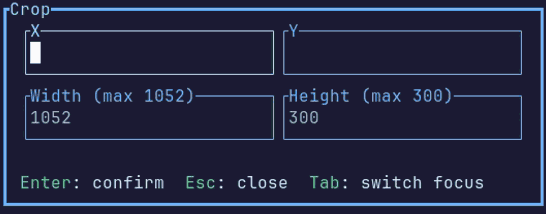
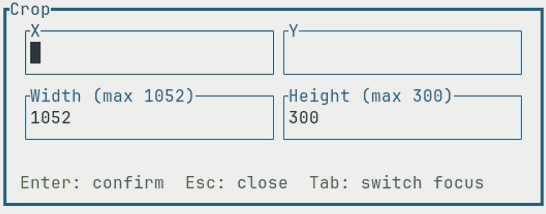
Inputs
- X: the horizontal position of the left edge
- Y: the vertical position of the top edge
- W: the crop width
- H: the crop height
Value format
All values must be positive numbers in pixels.
If a value is omitted, it's calculated from the input video dimensions:
- Empty
XorYdefaults to0 - Empty
WorHdefaults to the remaining width or height from the specified position. See examples - If only width or height is specified, the crop is centered on that axis
- If no values are specified for an axis, the full input width or height is used
The crop width and height must be at least 2 pixels and cannot extend beyond the input video resolution. The crop position must leave at least 2 pixels for the corresponding width or height.
Examples
- Given a
1920×1080video. Crop a1280×720region starting at(100, 50):
X: 100, Y: 50, W: 1280, H: 720
- Given a
1920×1080video. Crop to a640×480region centered in the input video:
W: 640, H: 480
- Given a
1920×1080video. Remove 100 pixels from the left and 50 pixels from the top, keeping the remaining video (results in1820×1030video resolution):
X: 100, Y: 50