Trim
Allows to trim (cut) audio or video.
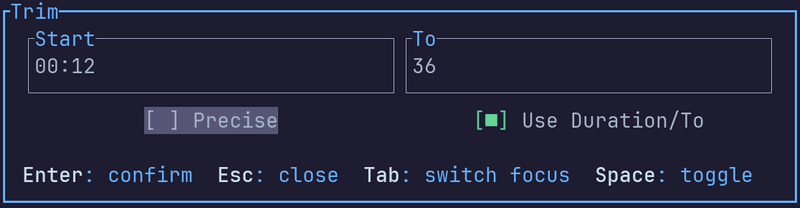
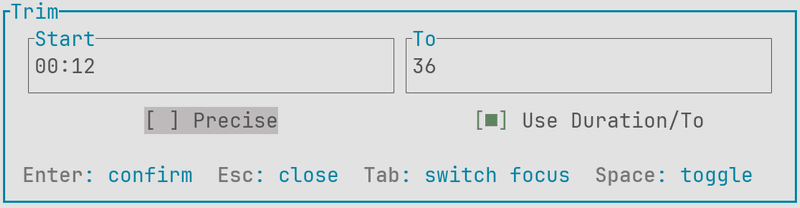
Inputs
- Start: the time from which the trim should start
- To: the time by which the trim should be finished
- Duration: the duration from the Start time
- Precise: if disabled, the trim will be performed using the nearest keyframes. This method is faster, but inaccurate. If enabled, the trim will be precise, but slower
- Use Duration/To: switch between the To or Duration input
Value format
Accepts either the seconds or the timestamp format.
v0.9.0
Added percent % format and negative values support. See examples.
Seconds format
Accepts a decimal value in seconds. If duration is known, the value can be negative, meaning, it will be subtracted from the duration. Examples: 5, 10, 20.45, 0.8, -20 (20 seconds before the end).
Timestamp format
Accepts a timestamp in any of the following forms:
HH:MM:SS.mmm- full formHH:MM:SS- without millisecondsMM:SS.mmm- without hoursMM:SS- minutes and seconds only
All component values can be optionally zero-padded.
| Component | Required? | Description | Range | Example |
|---|---|---|---|---|
HH |
Hours | 0-99 | 00, 0, 01, 1 |
|
MM |
Minutes | 0-59 | 00, 0, 5, 05, 35 |
|
SS |
Seconds | 0-59 | 00, 0, 7, 07, 57 |
|
mmm |
Milliseconds | 0-999 | 000, 0, 123, 50 |
Percentage format
Accepts a percentage value from 0% to 100%. Negative values allowed as well. Works only if duration is known.
Examples
- Get first 20 seconds:
to: 20orduration: 20 - Get last 20 seconds:
start: -20 - Skip first 5 seconds and take 10 minutes:
start: 5,duration: 00:10:00 - Skip first 4 minutes 35 seconds and last 45 seconds:
start: 00:4:35,to: -45 - Get first half:
duration: 50%, orto: 50% - Get last half:
start: 50% - Get middle half (skip 25% from the beginning and the end):
ss: 25%,to: -25%
Version history
| Version | What's changed |
|---|---|
| 0.9.0 | Percent % support, negative values (relative to the end) and preset support |
| 0.5.0 | Adjust precise trim time based on the speed factor |
| 0.4.0 | Added Trim parameter |