Themes
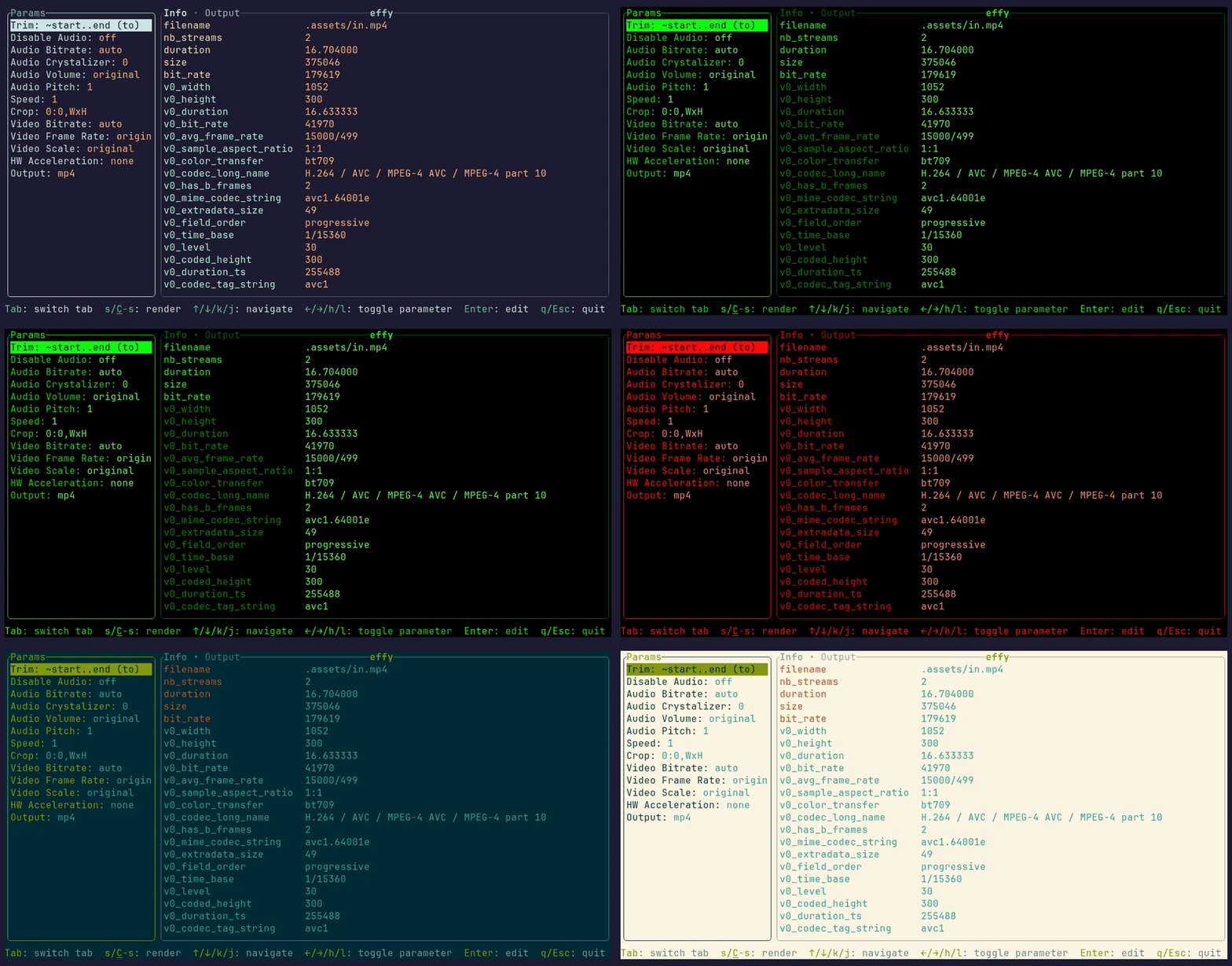
Set theme in effy.toml to change the TUI colors:
Themes are loaded once at startup. Restart effy to apply changes.
Built-in themes
default, hacky, bloody, solarized_dark, solarized_light
Refer to effy/src/assets for the complete list of available themes and their corresponding fields.
Theme files
effy looks for theme-<name>.toml in the directory containing the selected configuration file. For example:
With --config /path/effy.toml, effy reads theme files from /path/. This also applies if the selected configuration file does not exist.
Override an existing theme
Built-in themes can be fully or partially overridden. For example, to override the default theme create theme-default.toml next to effy.toml:
With theme = "default", this changes only the info color. All other fields inherit from that built-in theme.
To fully override the theme specify all fields.
Add a new theme
Create theme-ocean.toml next to effy.toml:
Then specify it in effy.toml:
A custom theme inherits from the built-in default palette.
Color format
Every color value is a quoted string. Supported forms include:
| Format | Examples |
|---|---|
| Named terminal color | "blue", "dark-gray", "light-cyan" |
| RGB hexadecimal | "#001B26", "#80DEEA" |
| Indexed terminal color (0–255) | "16", "39", "196" |
| Terminal default | "reset" |
See full Ratatui Color reference page for details.